Create 4–30s 1080p videos with synced sound using the MAGI-2 AI video model by Sand AI (Sand.ai) — up to 80% cheaper than Seedance, from text, images, video clips, and audio.
1080p · 25 fps
Describe your video scene, camera choreography, lighting, and sound (4–30s 1080p; attach an optional Reference frame for Image-to-Video)...
Pick any exact length (4–30s) · 43 credits per 5s 1080p clip with $0 extra for sound or references · Watermark-free commercial downloads · Automatic 100% refunds if a run fails
Backdrop · MAGI-2 · 1080p
Discover What MAGI-2 AI Can Create
Watch 4 real 1080p clips rendered by the Magi 2 video model—from smooth one-take camera moves and papercut animation to tabletop acoustics. Click Use Prompt on any MAGI-2 card to load its full prompt, length, ratio, and sound setting right into the generator above.
15s · 1080p · Audio
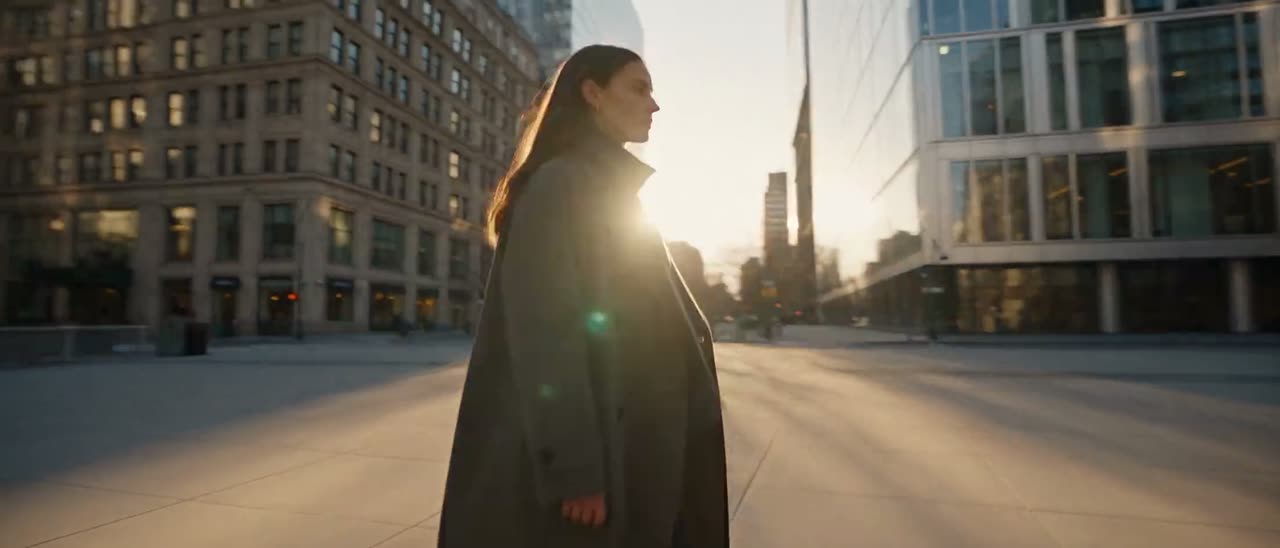
Continuous 360° Fashion Orbit
Shot on an iPhone camera: steadily track a female model wearing a long coat in a full-body side view, move closer toward her front-side and accelerate slightly, arc around behind her, and rapidly rise into a direct overhead top-down shot. Then descend rapidly along an arc to the front, hold steadily on a close-up of her face for a moment, and finally pull back and rise rapidly, easing gently into a high-angle wide establishing shot of the city.
Use a natural wide-angle look of around 28–35mm, leaving enough distance on close-ups to avoid stretching her face or limbs. All camera rises and drops ease in and ease out smoothly; the subject's motion stays at normal speed, with pacing changes driven primarily by camera movement. The background shifts with continuous parallax as the camera moves—larger displacement in the foreground and smaller displacement in the distance—avoiding any flat texture-like rotation of the city.
Maintain one continuous take throughout. If a hidden cut is needed, connect it only when clothing or foreground architecture briefly occludes the frame, ensuring continuous motion, matching character proportions, and consistent spatial positioning across the transition. Pair the background music with the camera moves to create a strongly rhythmic feel.
01 · 21:9 · 15s · 1080p · Audio On
30s · 1080p · Audio
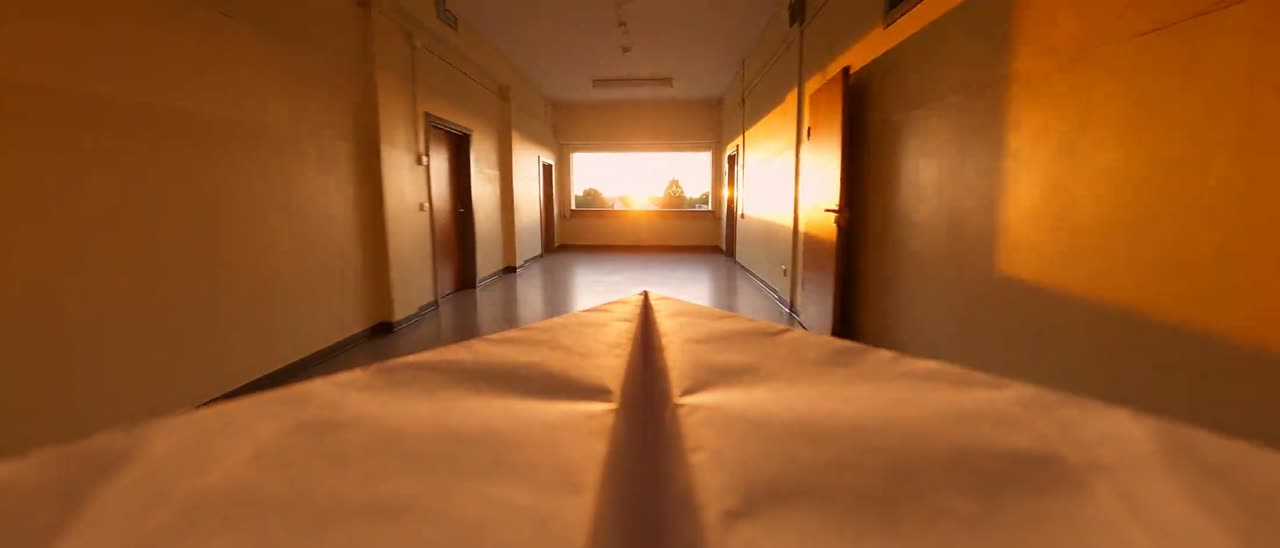
Paper Plane One-Take Flythrough
Shot on the native iPhone camera, natural lighting, sunset afterglow, one continuous take, seamless spatial transitions between scenes:
Under the setting sun, a white paper airplane flies off the rooftop of a school building in southern China. The camera trails behind the paper airplane over the roof edge and dives with it into the open corridor one floor below. The plane flies into a classroom, skims diagonally across the desks, and brushes past the chalkboard; the camera slips under its wing to the opposite side, accelerates around to the front of its nose, and faces it head-on as it exits through the back door. At the end of the corridor outside the back door is a wide, completely open window looking out onto the sports field. The paper airplane flies through the window to the outside of the building, banks gently into a turn, and glides diagonally downward along a row of windows a few meters out from the exterior wall. The camera looks down over its upper wings, then arcs downward from the sports-field side beneath the wing to look up at its underside. Approaching the ground floor, the paper airplane turns through an open side door into the lobby; the camera swings back behind its tail, follows it through the lobby while executing a full 360-degree barrel roll around its optical axis, and levels out right as it exits outside. Next, it skims low over the grass across the plane's shadow, rises along an arc up to the wingtip, and slows down together with the airplane until it lands steadily in the palm of an approaching European girl, its paper wings trembling slightly. The paper airplane glides naturally throughout, with gentle floating flutter caused by the light breeze, while speed variations come primarily from the camera. Nearby window frames whip past rapidly while distant floors reveal themselves in sequence, preserving clear, continuous spatial parallax through every orbit.
Note that each space must connect continuously one after another, and the paper airplane must never clip through walls.
02 · 21:9 · 30s · 1080p · Audio On
18s · 1080p · Audio
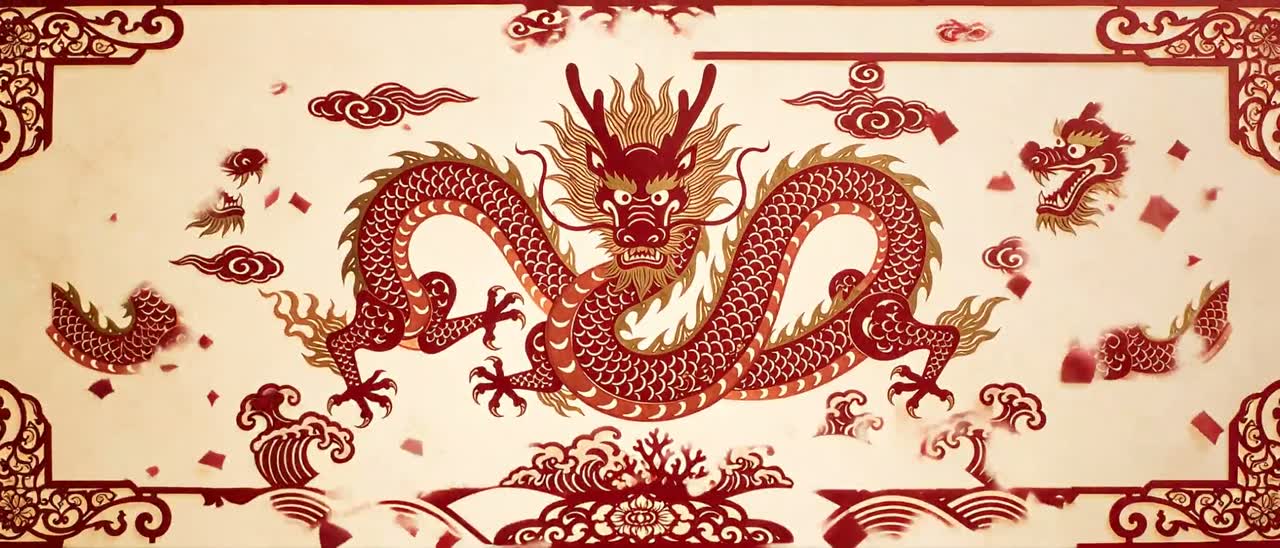
Multi-Layer Papercut Folk Animation
Traditional Chinese intangible-heritage multi-layered hollow-cut papercut animation style, set against warm translucent off-white window paper, with handmade vermilion, gilded gold, and indigo paper cutouts stacked layer upon layer—clearly preserving paper fiber texture, fine hollow-cut serrated filigree patterns, subtle realistic drop shadows between paper layers, and a slight stepped-frame handcrafted cadence; strictly no drift into 3D rendering or smooth CGI. The camera pushes forward as a flat-laid indigo paper scroll crisply folds upward into surging tiers of towering papercut waves; a vermilion papercut koi carved with intricate openwork patterns leaps upstream through the surf, weaving nimbly between layered paper reefs and striking bolts of golden papercut lightning, then whips its tail sharply to charge toward a towering openwork gold-paper Dragon Gate; the instant it clears the Dragon Gate, red and gold paper shards burst apart and spin rapidly in midair to reassemble, transforming instantaneously into a majestic, fully unfurled giant red-and-gold openwork papercut dragon breaking through paper clouds and spiraling skyward, while swirling red paper confetti across the sky settles into delicate window-flower motifs, slowly freezing into an ornate symmetrical papercut panorama. No dialogue—accompanied by crisp paper folding and rustling sounds, rapid pipa strumming, and thunderous Chinese war drums.
03 · 21:9 · 18s · 1080p · Audio On
18s · 1080p · Audio
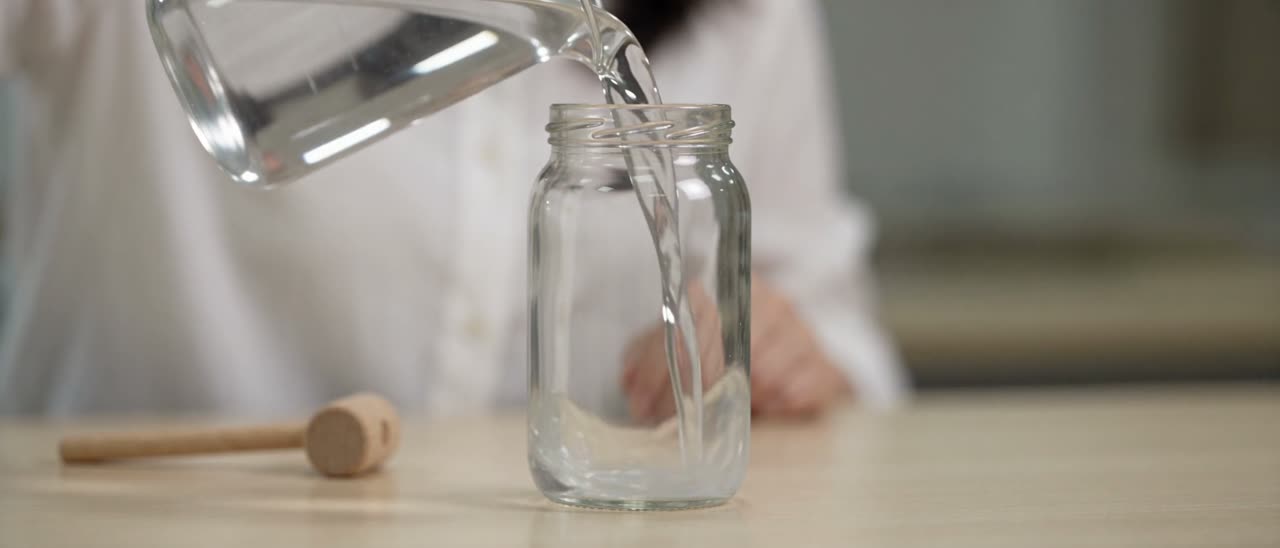
Glass Bottle Acoustics Experiment
"Close Your Eyes and Listen to This Bottle" | A science teacher's tabletop mini-experiment, no background music.
In a quiet classroom, a glass bottle holding a small amount of water sits on the desk. The teacher picks up a small wooden mallet and speaks in an inviting, playful tone as if asking viewers to join in: "Close your eyes and remember this pitch." She lightly taps the side of the bottle and pauses for a beat, letting the bright, clear ring fade naturally. Next, she pours more water into the same bottle until it is half full, waits for the pouring sound to stop, and taps the exact same spot with the exact same force. It still has the same glass timbre, but the pitch is noticeably lower.
The teacher waits until the second ring finishes before asking: "Did you hear it? Was that one higher or lower?" Looking at the camera, she gives the viewer a beat to think, then smiles and reveals the answer: "Lower. When you tap the side of the bottle, the water inside vibrates along with it." Both strikes must synchronize precisely with the exact moment the wooden mallet touches the glass.
04 · 21:9 · 18s · 1080p · Audio On
What You Can Make with MAGI-2 AI
See how creators use the MAGI-2 video generator across real product ads, short dramas, stylized reels, and camera planning—with full 1080p visuals and synced sound.
E-Commerce & Product Video Ads — With Sound Included
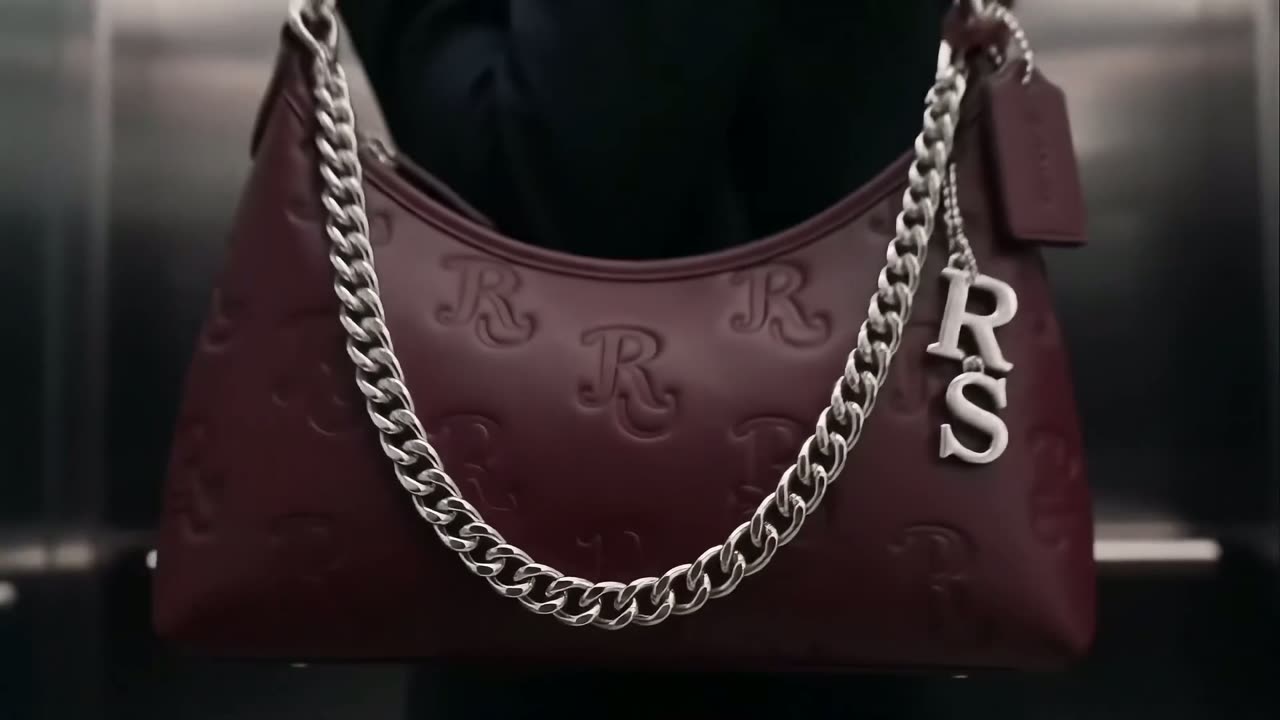
Turn a clean product photo into a studio-lit 5–15 second MAGI-2 ad in one pass—picture and sound come out together instead of being glued on afterward. Hands, water droplets, fabric motion, and metal reflections hold up cleanly at full 1080p alongside realistic sizzling, pouring, and everyday sound effects. Pick any exact length from 4 to 30 seconds across six aspect ratios, with MAGI-2 keeping Sound on or off at the exact same price.
15s · 1080p · Sound
Short Dramas, Consistent Casts & Targeted Video Edits
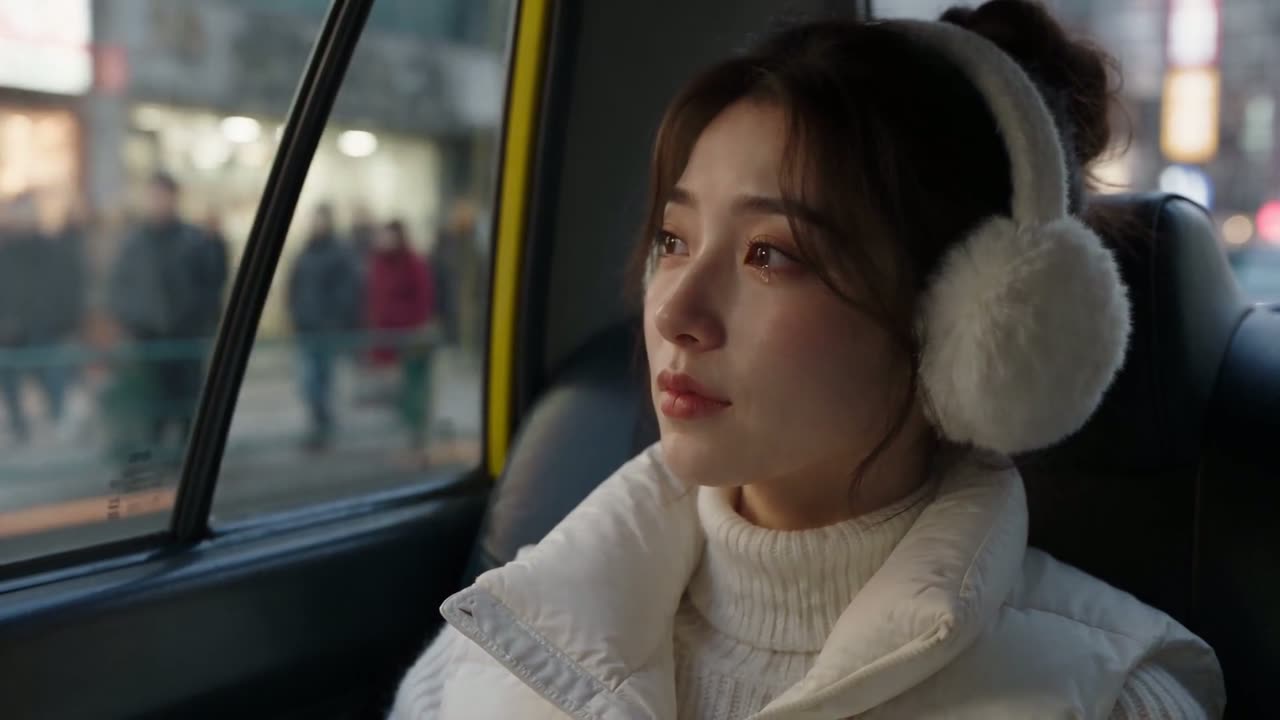
Keep the same actor, outfit, and props recognizable across close-ups, cuts, and 20–30 second MAGI-2 scenes. Drop up to 10 photos, 5 videos, and 5 audio files into Omni Reference with $0 extra fees, then type @ to reference them as @Image1, @Video1, or @Audio1 right in your prompt. Use Start & End frames for smooth image to video transitions, or upload an existing video to MAGI-2 to swap jacket colors and remove unwanted objects while keeping the original camera motion.
1:47 · 1080p · Sound
Stylized Animation & Vertical Reels That Stay True to Style
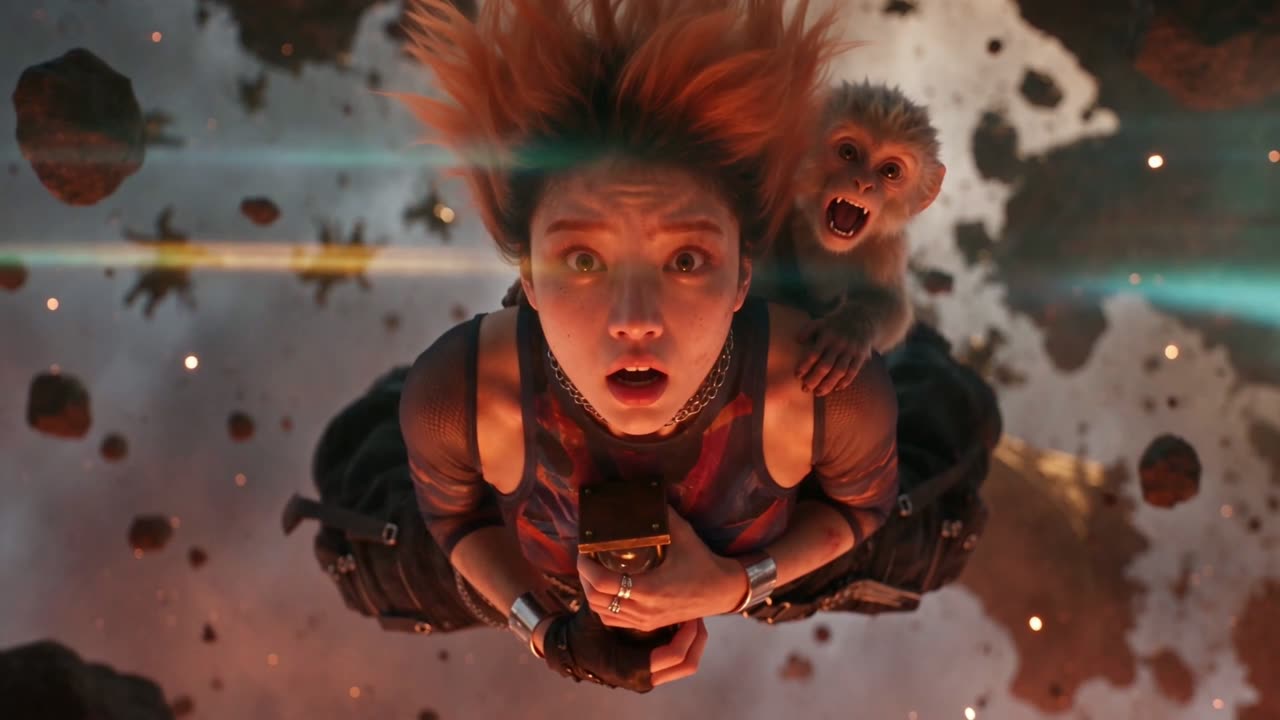
Magi 2 AI holds demanding visual styles from first frame to last instead of slipping into glossy 3D. Ask MAGI-2 for layered Chinese papercut animation, thick palette-knife oil paint, 2D anime, or beat-synced 9:16 vertical social reels, and the texture stays locked across every cut—giving indie creators and social channels a distinct MAGI-2 look that stands out in crowded feeds.
32s · 1080p · Sound
One-Take Camera Moves & Shot Previews at 80%+ Lower Cost
Preview 360-degree fashion orbits, crane rises, speed ramps, and emotional close-ups in MAGI-2 before booking a live shoot or committing to post-production. Creators comparing Magi 2 vs Seedance 2.5 report MAGI-2 delivers over 90% of the cinematic look and motion realism at 43 credits per 5-second 1080p clip—more than 80% cheaper than Seedance—so you can test new hooks and iterate freely without stressing over every wasted take.
20s · 1080p · Sound
How to Use MAGI-2 AI Online
01. Describe Your Scene or Add References
Type a prompt for text to video, drop an opening photo for MAGI-2 image to video, or switch to Start & End frames or Omni Reference to add up to 10 images, 5 videos, and 5 audio clips. You can also click any example above to load a ready-made MAGI-2 prompt.
02. Pick Exact Length (4–30s), Ratio & Sound
Choose any exact MAGI-2 clip length from 4 to 30 seconds (or tap 5s, 10s, 15s, and 30s shortcuts), pick one of six aspect ratios (16:9, 9:16, 1:1, 4:3, 3:4, or 21:9), and toggle Sound on or off. MAGI-2 Video shows the exact credit cost upfront with zero extra fees for sound or references.
03. Generate in the Cloud & Download Watermark-Free
Click Generate and let MAGI-2 run in the background—closing your tab won't stop the job. Finished 1080p MP4 clips stay permanently saved in your library (never wiped after 7 days), ready to preview, remix, or download watermark-free for commercial projects.
Prompting Tip: For the cleanest first-try results in Magi 2 video generation, focus each clip on one or two clear actions with a steady camera move, attach 1–3 crisp photos in Omni Reference when character consistency matters, and upload a source clip whenever you want to edit an existing scene.
MAGI-2 vs. Seedance 2.5 & MAGI-2 Preview: Practical Comparison
Compare real pricing, creative controls, and everyday workflow fit across Sand AI MAGI-2, the older MAGI-2 Preview, and Seedance 2.5 at full 1080p.
What Matters
MAGI-2 (Latest)
MAGI-2 Preview (Older)
Seedance 2.5 (1080p)
5s 1080p Credit Cost
43 credits (80%+ cheaper)
Self-hosted only
~253–385 credits (~6×–9× higher)
Sound & Reference Fees
$0 extra (sound + 20 refs included)
Self-hosted
Often billed extra by mode or tier
Clip Length Choice
Any exact second (4–30s)
Fixed 10s only
Fixed presets up to 30s
Creation & Editing Modes
Text, Frames, 20 Refs, Video Edit & Sound
Text & single image only
Text, Frames, Multi-Ref, Video Edit & Sound
Best Strength
Cinematic 1080p, bold moves, strong style lock
Earlier research preview
Strongest subtle voice acting; far costlier
Resolution & Frame Rate
Full 1080p, 25 fps
1080p preview
Up to 1080p
Hardware Needed
None — runs in any browser
Multi-GPU server rig
Cloud only
Bottom Line: Real creator tests of Magi 2 vs Seedance 2.5 show MAGI-2 handles over 90% of product ads, cinematic b-roll, stylized animation, and multi-shot scenes at more than 80% lower cost. Keep Seedance 2.5 in mind mainly when subtle human voice acting is your top priority; for almost everything else, the Magi 2 video model wins on value.
Why Creators Run Magi 2 AI on MAGI-2 Video
No Heavy Hardware — Run in Your Browser
MAGI-2 is far too large for home PCs or consumer graphics cards. Open your desktop or mobile browser and create full 1080p clips with zero setup.
Pay Only for Exact Seconds
Pick any clip length from 4 to 30 seconds (4s = 34 credits, 5s = 43, 10s = 85, 15s = 127, 30s = 253) via flexible plans or one-time 180-day Credit Packs (+50% bonus credits for subscribers).
Commercial Rights & Permanent Library
Every paid MAGI-2 video downloads watermark-free in 1080p MP4 for commercial use and stays saved permanently instead of expiring after 7 days.
Automatic 100% Failure Refunds
If a MAGI-2 job fails, times out, or hits safety filters, 100% of your credits return automatically to their original batch with full remaining validity.
MAGI-2 AI FAQs
What is Sand AI MAGI-2, and how is it better than MAGI-2 Preview?
MAGI-2 is the latest AI video generator from Sand AI (Sand.ai). Compared to the older MAGI-2 Preview—limited to fixed 10-second clips and basic text or single-image inputs—MAGI-2 delivers sharper 1080p quality, flexible 4–30s lengths, synced sound, start/end frames, up to 20 references, and video editing.
How does Magi 2 vs Seedance 2.5 compare in quality and price?
For most product ads, camera moves, and stylized animation, MAGI-2 delivers very close 1080p quality at over 80% lower cost (43 credits for 5s vs ~6×–9× more for Seedance 2.5). Seedance 2.5 still leads slightly in nuanced human voice acting, while MAGI-2 gives you far more takes per dollar.
Is Magi 2 AI free to use? How much does each video cost?
The first verified account per eligible network automatically receives 6 permanent welcome credits (no card required, never expire). Because full 1080p video generation carries real per-second compute costs (4s = 34, 5s = 43, 10s = 85, 15s = 127, 30s = 253 credits), combine your welcome credits with any monthly/yearly plan or one-time 180-day Credit Pack—with synced audio, watermark-free downloads, and automatic 100% failure refunds.
Why is MAGI-2 so much cheaper, and can I run it on my PC?
Sand AI (Sand.ai) designed MAGI-2 as a very large model (480B total parameters) built to run efficiently in the cloud, cutting 1080p costs by over 80% versus flagship rivals. Because of that size, it won't run on a home laptop or single consumer GPU—using MAGI-2 online in your browser is the fastest way to create.
What lengths, resolutions, and aspect ratios does MAGI-2 support?
Every MAGI-2 clip outputs in full 1080p at 25 fps, with any exact length from 4 to 30 seconds (plus 5s, 10s, 15s, and 30s shortcuts) across six ratios: 16:9, 9:16, 1:1, 4:3, 3:4, and 21:9.
How do First Frame, Start & End Frames, and Image to Video work?
Stay in First Frame mode for text to video or to drop one opening photo for image to video. Switch to Start & End mode whenever you want to lock both the opening and closing frames of a transition.
Can I keep characters consistent—or edit an existing video?
Yes. In Omni Reference mode, upload up to 10 images (under 20 MB each), 5 videos (MP4/MOV, 2–30s each, 30s combined max), and 5 audio files (WAV/MP3, 2–30s each, 30s combined max) at $0 extra charge, then type @ in your prompt to call them as @Image1, @Video1, or @Audio1. To edit an existing video, upload your clip to MAGI-2 and describe the change—like swapping a jacket color or removing a background object while keeping the original camera move.
What audio does MAGI-2 create, and does sound cost extra?
MAGI-2 creates lip-synced dialogue, sound effects, ambient noise, and background music right with the video. Turn Sound off anytime for silent B-roll—the MAGI-2 credit price stays identical.
How do I avoid face drift on 15–30 second clips?
Attach 1–3 clear photos of your main subject or product in Omni Reference mode, keep each MAGI-2 clip focused on one or two clear actions with a steady camera move, and avoid packing too many sudden scene jumps into one prompt.
Start Creating 1080p Videos with MAGI-2 AI Online
Turn prompts, photos, clips, and audio into 4–30 second 1080p videos with synced sound—at over 80% lower cost than Seedance, with exact per-second billing, permanent library storage, and automatic failure refunds.